


What you’ll learn after reading this article:
- Card payment process and details about each process
The payment request process in Toss payments consists of 3 parts: Request-Authentication-Authorization(Approval). First, a customer requests a payment. Let's use the Tosspayments checkout window as an example.
First, a customer requests a payment. The merchant client then calls the payment window. The customer selects a card in the payment window. Now, with the payment information and the customer's card information, we ask the card company to authorize the payment.
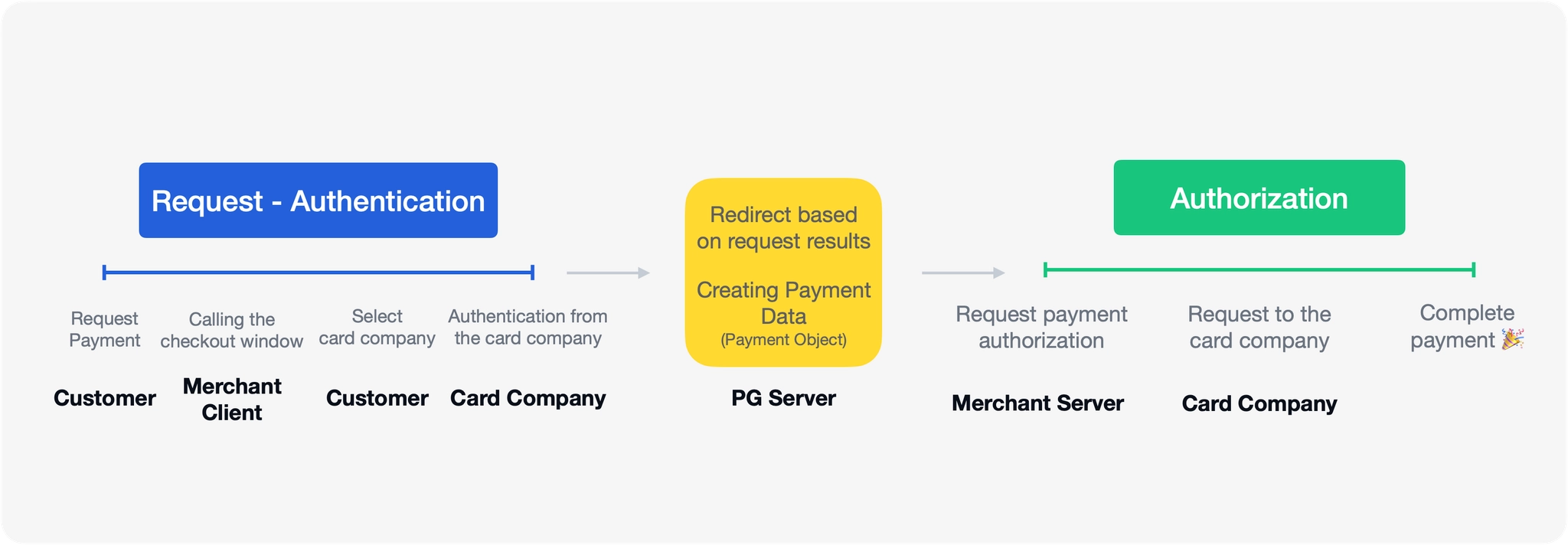
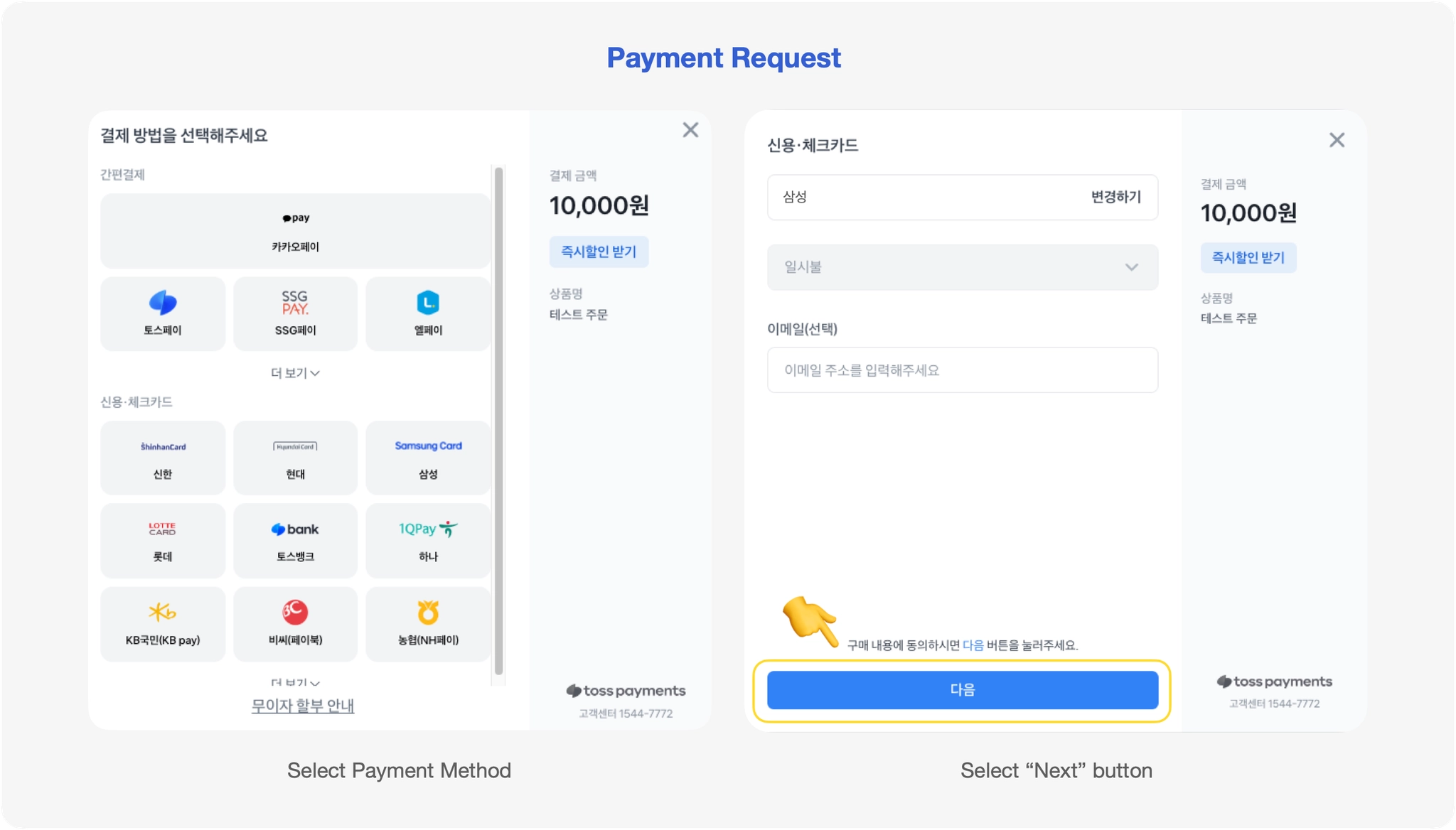
From the PG's point of view, a payment request is a process where a customer provides information about the product they want to buy, the buyer's information, etc. and submits this information to the payment window. If you think of it in terms of the Tosspayments payment window, a payment request is made when you select a credit card and select the "Next" button to bring up the credit card window.
After the request, there are two things that need to happen in turn: the card company needs to authorize the payment, and the merchant needs to authorize the payment. Let's take a closer look at each step.
1-1. Payment request
Buyer & Merchant Client
This is the process where the buyer requests payment to purchase goods or services. The payment request information (product information, payment amount, etc.) already entered in the order form is passed to the Tosspayments payment window. The buyer adds payment information such as selecting a payment method (e.g. Samsung Card, Apple Pay, etc.).
1-2. Authenticate the payment request
Card company
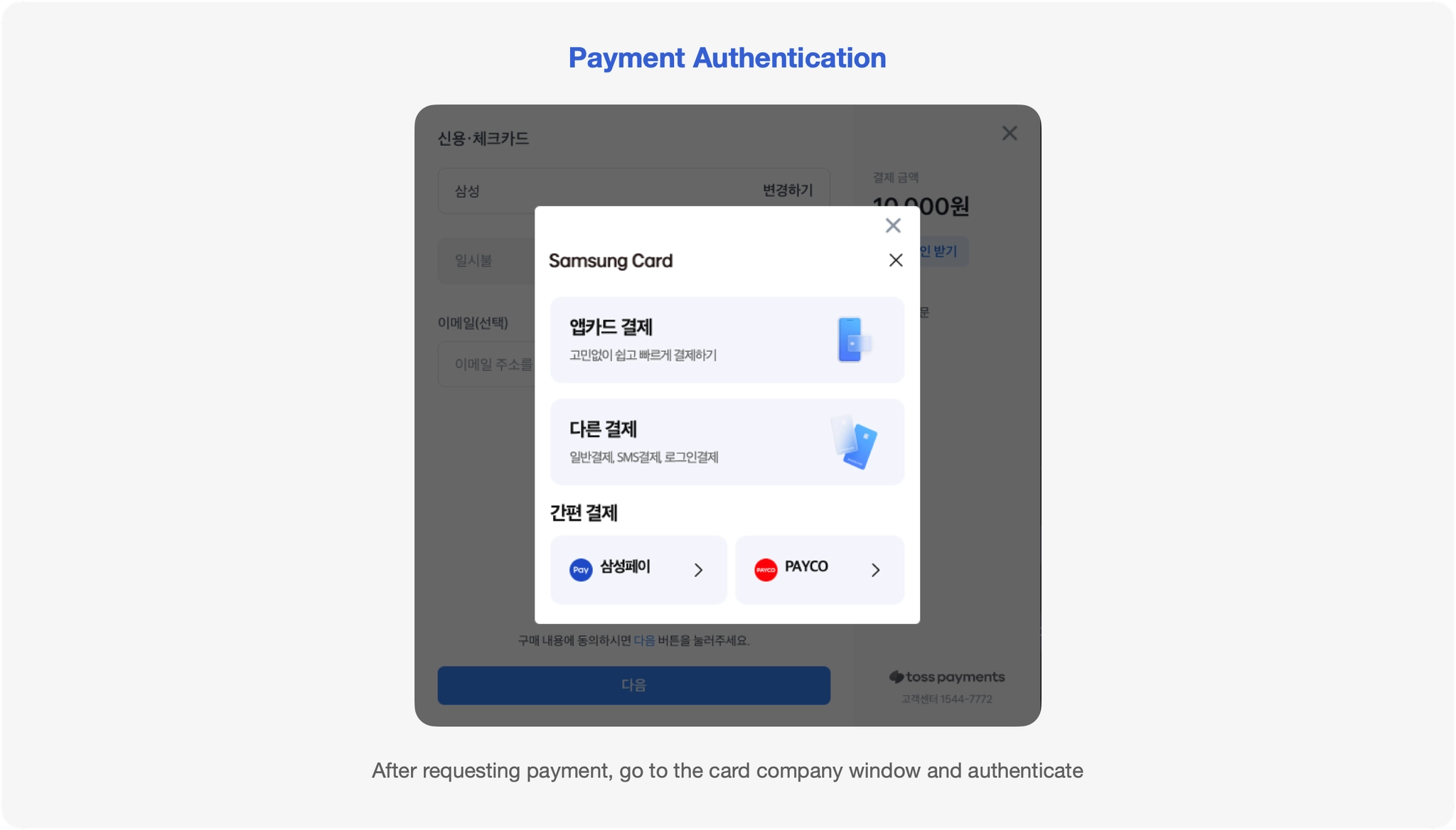
Now we need to authorize the requested payment. Authorization is the process by which the card company verifies the customer's credit card information and payment amount to ensure that this transaction is valid and that the payment should be allowed. This protects both the buyer and the merchant, and prevents fraud and abuse.
Authentication is performed by the buyer's chosen payment method, which is the card company. When you make a card payment, you've probably entered your card number, expiration date, CVC, and a one-time password (OTP) issued by your card issuer. Nowadays, you can conveniently authenticate with an app card. When you see a window like this, you're at the beginning of the authentication process.
After successful authentication, TopSpecs will redirect you to the success URL set by the merchant. The success redirect URL contains the parameters needed to authorize the payment, as shown in the example below. With these parameters, the developer has something to do.
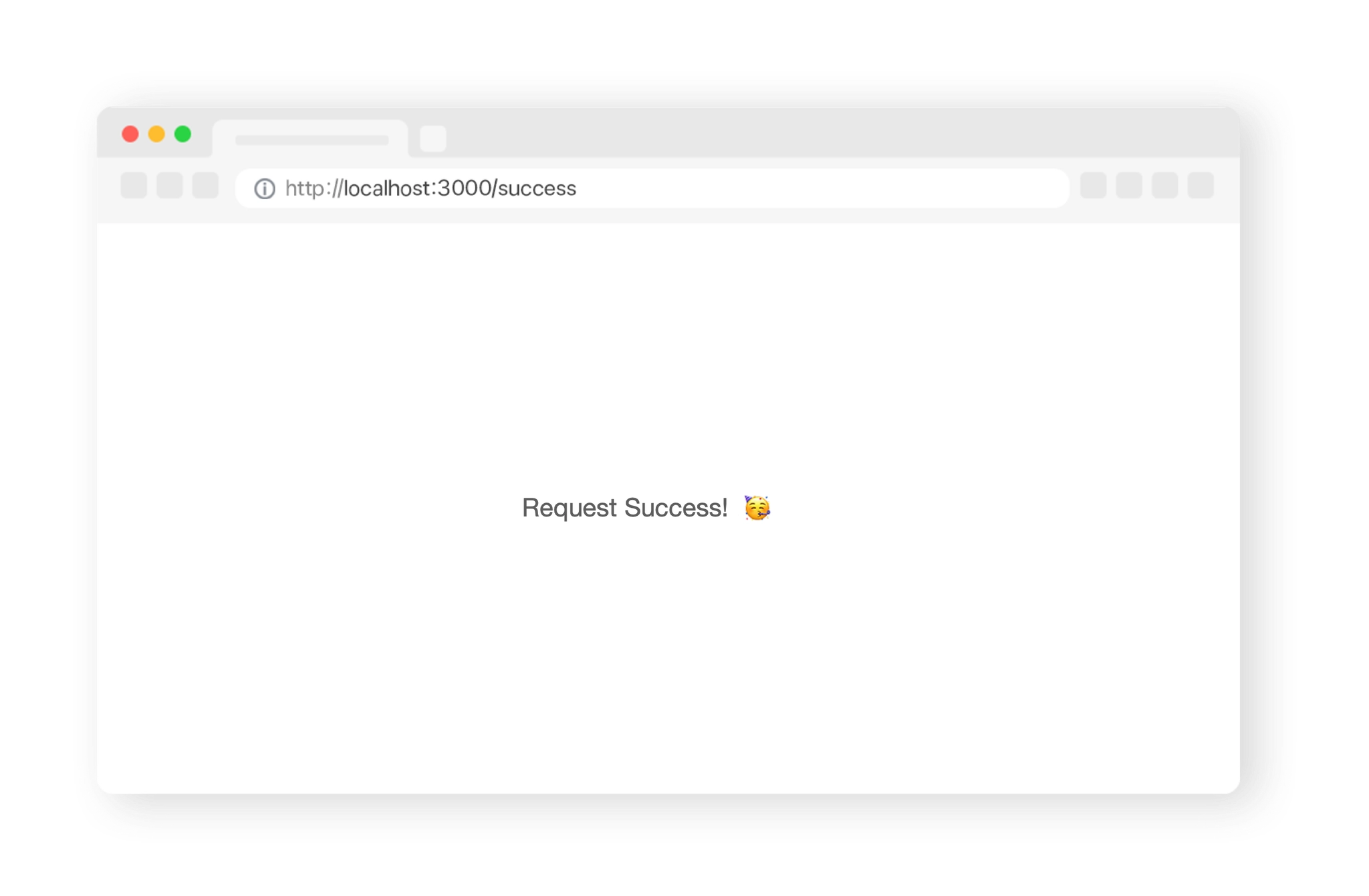
When we finish the payment request like this, it looks like we're done from the buyer's perspective, but from the developer's perspective, we've only finished the request. There's still work to do to actually finalize the buyer's payment.
2. Authorize(Approval) payment
Merchant Server
This is the process of requesting the card company to approve the authorized payment. If the authorization is successful, the merchant provides the goods or services to the buyer, and the card company or bank charges the buyer for the payment amount, so this is the step that actually finalizes the payment.
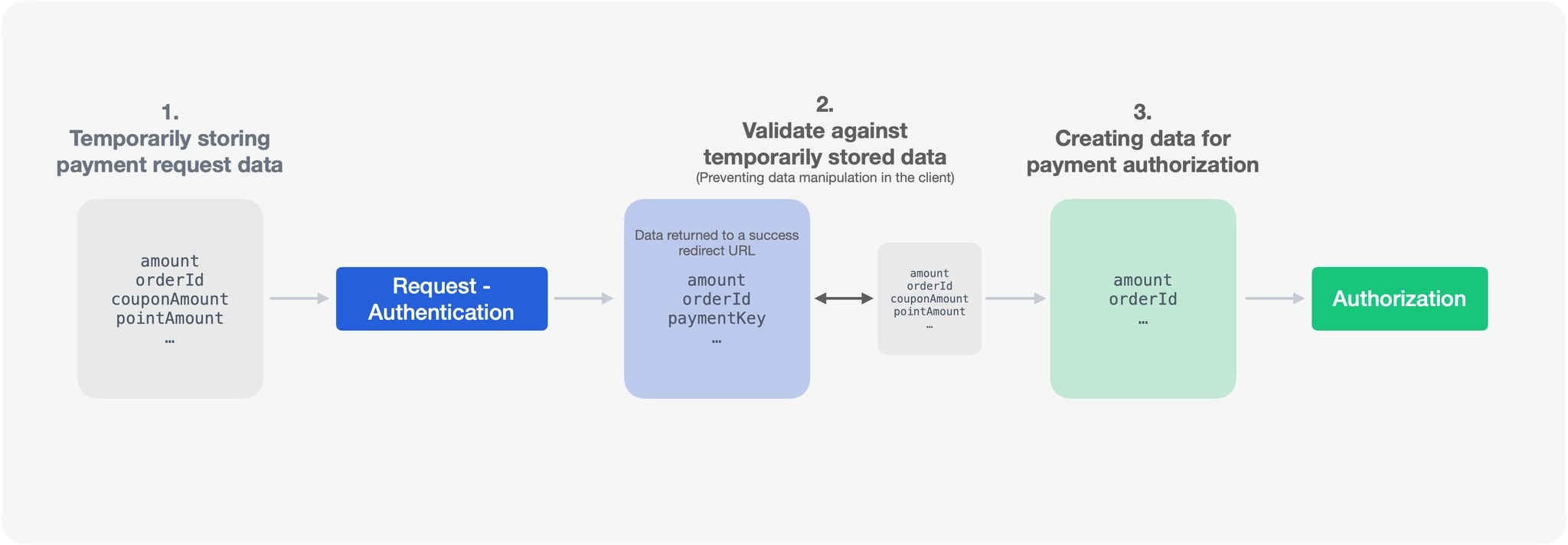
Let's say we use the Payment Authorization API provided by TopSpecs. We call the authorization API with the information we received as query parameters in the success redirect URL after the payment request-authorization. The card is actually requested to authorize the payment, and if the payment authorization response comes back as successful, the payment is completed. The buyer and seller receive a payment completion message, and the developer can see the payment success response.
