

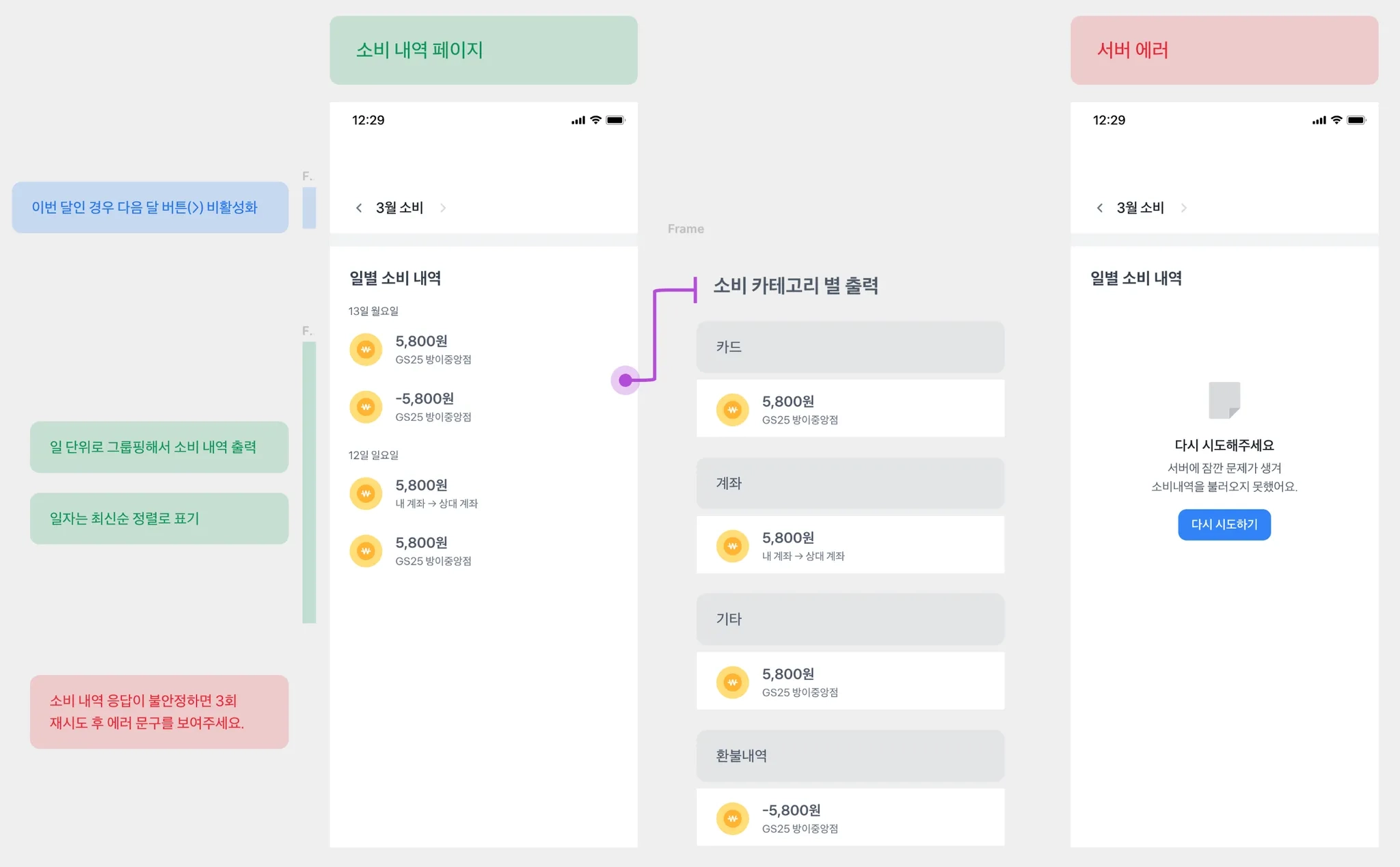
•
ConsumptionsPage 컴포넌트는 위 화면에서 [소비 내역 페이지]에 해당합니다.
•
NavigationSection 컴포넌트는 위 화면에서 [3월 소비] 를 표시하는 상단 네비게이션 영역에 해당합니다.
•
NavigationSection, useGetSelectedMonth에 집중하여 리팩토링 해주세요.
export function ConsumptionsPage() {
const { selectedMonth, currentMonth, selectMonth } = useGetSelectedMonth();
return (
<>
<Spacing size={40} />
<NavigationSection
selectedMonth={selectedMonth}
currentMonth={currentMonth}
selectMonth={selectMonth}
/>
<SummarySection selectedMonth={selectedMonth} />
<Spacing size={8} />
<Border size={16} />
<DetailSection selectedMonth={selectedMonth} />
</>
);
}
TypeScript
복사
interface Props {
selectedMonth: number;
currentMonth: number;
selectMonth: (month: number) => void;
}
export function NavigationSection({ selectedMonth, currentMonth, selectMonth }: Props) {
const isNextMonthDisabled = selectedMonth >= currentMonth;
const isPrevMonthDisabled = selectedMonth <= 1;
return (
<Navigator
prev={
<Navigator.Prev
disabled={isPrevMonthDisabled}
onClick={() => {
if (isPrevMonthDisabled) {
return;
}
selectMonth(selectedMonth - 1);
}}
/>
}
next={
<Navigator.Next
disabled={isNextMonthDisabled}
onClick={() => {
if (isNextMonthDisabled) {
return;
}
selectMonth(selectedMonth + 1);
}}
/>
}
contents={
<Text typography="t5" color={colors.grey900} fontWeight="semibold">
{selectedMonth}월 소비
</Text>
}
/>
);
}
TypeScript
복사
export const useGetSelectedMonth = () => {
const [searchParams, setSearchParams] = useSearchParams();
const currentMonth = new Date().getMonth() + 1;
const selectedMonth = Number(searchParams.get('month')) ?? currentMonth;
const selectMonth = (month: number) => {
setSearchParams(prev => {
prev.set('month', month.toString());
return prev;
});
};
return { selectedMonth, currentMonth, selectMonth };
};
TypeScript
복사
